Build Manufacturing Apps
Without Code.
Design custom operator stations, dashboard views, and work instructions in minutes — with AI support and a powerful drag‑and‑drop builder.
Your Factory Needs More Than Spreadsheets and Static Screens.
Traditional MES apps are rigid, requiring expensive consultants to change a single button. Meanwhile, operators struggle with paper instructions that are outdated the moment they're printed.
- Operators lack real-time context at their station.
- Critical data is trapped in disconnected spreadsheets.
The Solution
Custom Apps for Every Role — Made in Minutes.
Empower your workforce with screens tailored to their exact tasks. Whether it's a simple start/stop button for an operator or a complex analytics dashboard for a shift leader.
Two Ways to Build
Start fast with AI, then refine with precision.
Konnie Generates v0
Simply describe what you need. Konnie generates a complete app layout, binds data sources, and suggests logic automatically.
Manual Control
Full drag-and-drop control. Adjust layouts, configure component properties, and define custom logic flows with pixel-perfect precision.
Hundreds of Components. New Ones Added Regularly.
Everything you need to build robust industrial applications.
Production Data
Live order details, BOMs, specs
Work Instructions
PDF viewer, video player, 3D models
Data Capture
Forms, keypads, barcode scan input
Visualization
Gauges, charts, progress bars
Connectivity
Label printers, scales, calipers
Pick-by-Light
Bin highlighting integrations
Andon & Alerts
Status lights, help requests
Quality
Pass/Fail logic, defect mapping
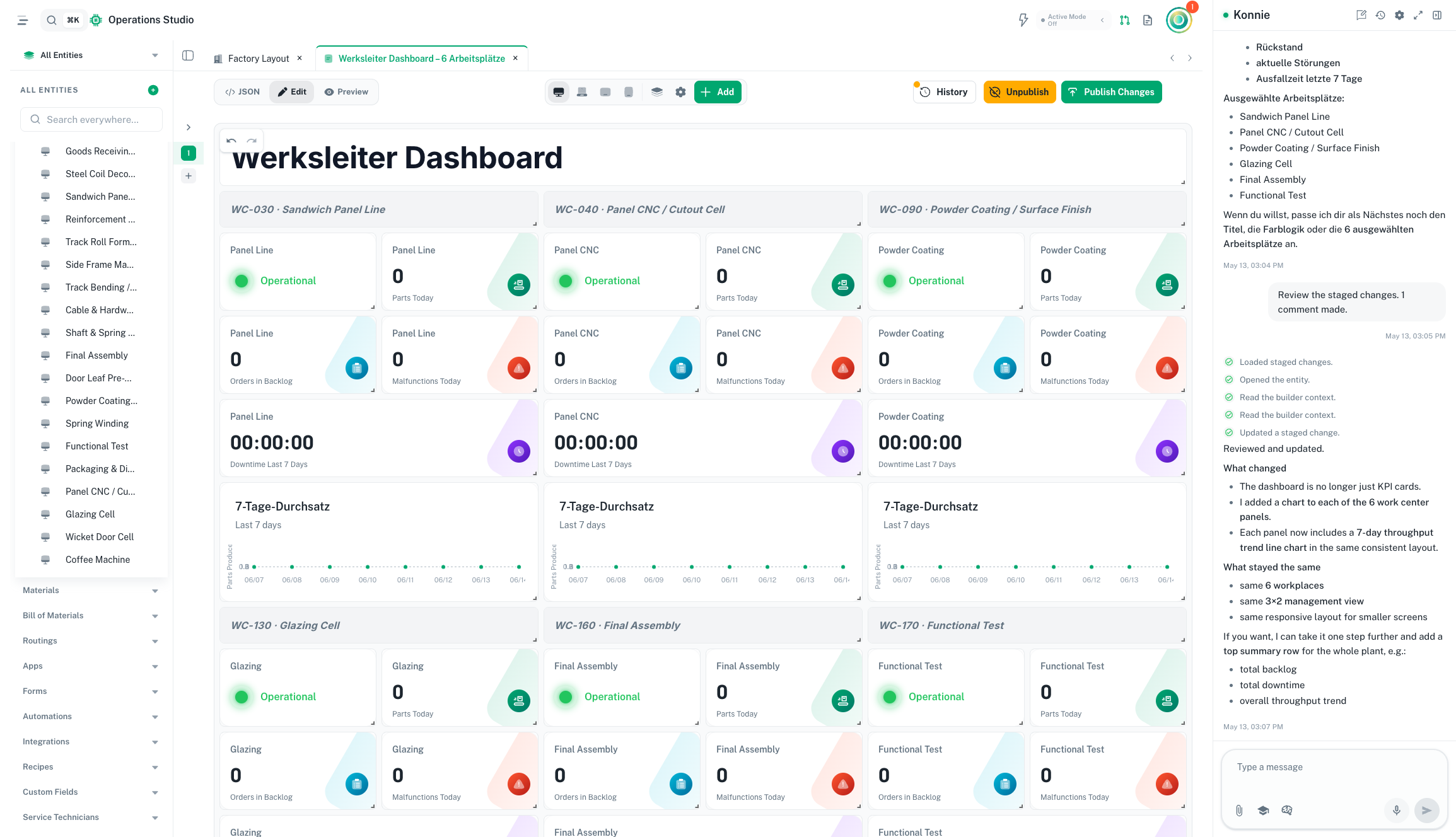
Dashboard views are built as apps, not a separate module.
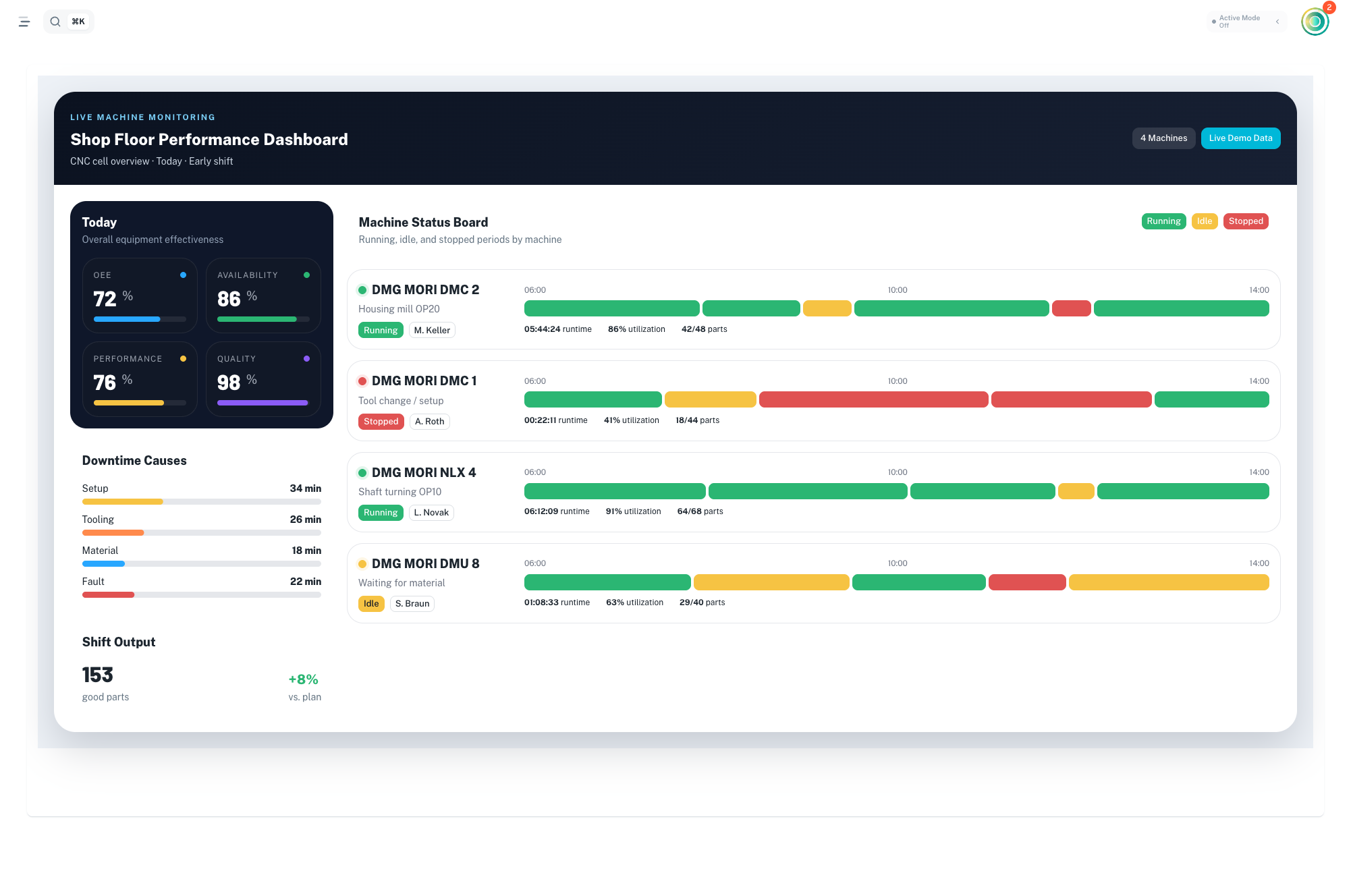
Build KPI boards, shift-lead cockpits, and TV-mode status screens with the same app builder. Dashboard views can sit beside forms, instructions, approvals, and Konnie-generated workflows.
Live telemetry widgets
Bind charts, gauges, and counters directly to machine, order, and quality data.
Responsive shop-floor layouts
Use one app view across desktop command centers, tablets, phones, and large screens.
Konnie-generated views
Ask Konnie for a Line A OEE view or a shift handover board, then refine it in the builder.
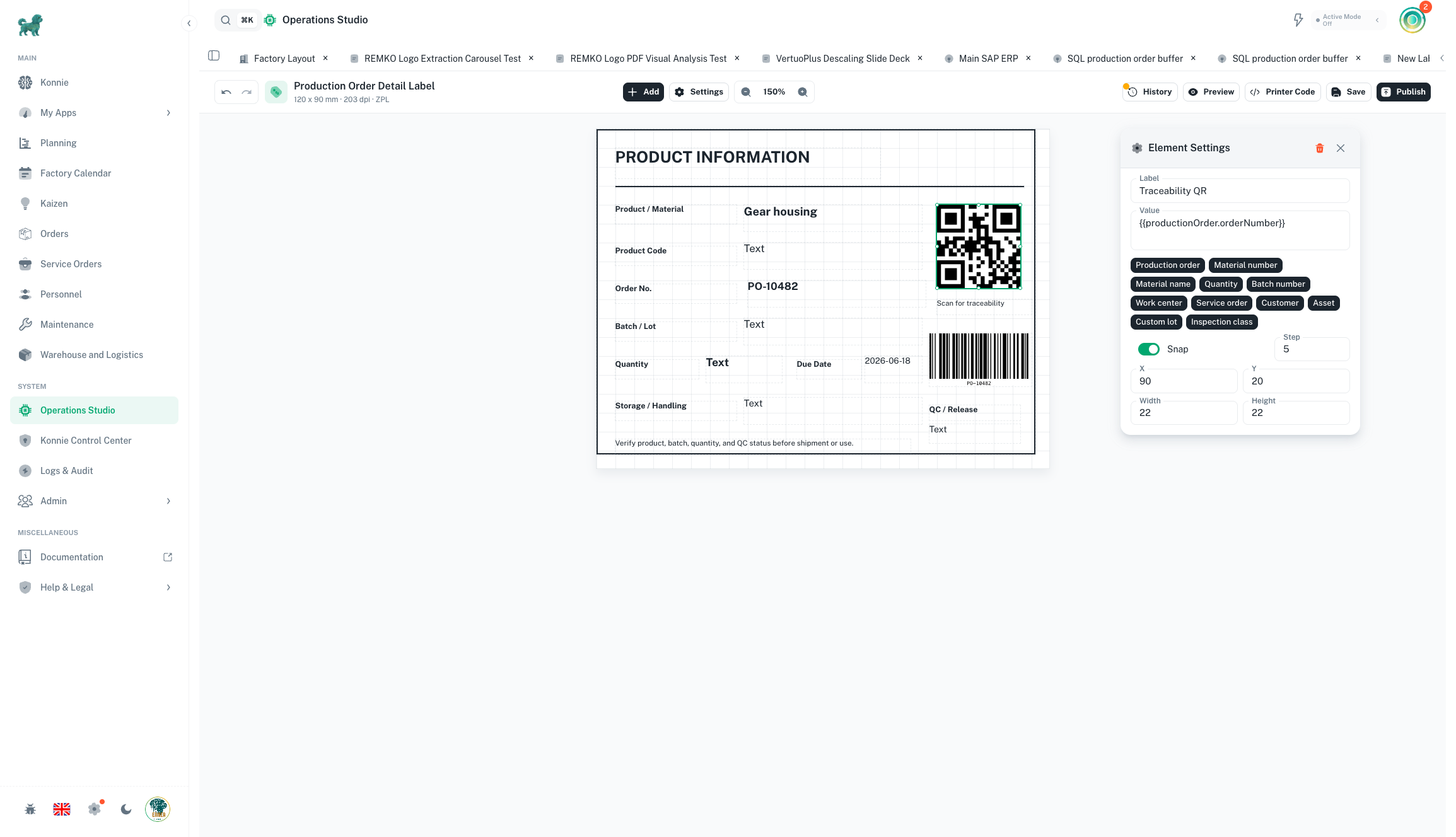
Printable labels, built like the rest of your factory apps.
Design production, QC, shipping, and service labels on a real-dimension canvas. Add text, parameters, QR codes, barcodes, images, shapes, and reverse-video warning blocks, then preview exactly what will print before sending output to ZPL or TSPL printers.
Visual label canvas
Drag, resize, snap to grid, and check physical width and height while keeping label elements aligned for scanners and operators.
Konnie-assisted edits
Ask Konnie to create a new label or refine the active draft, from smaller fonts to a cleaner QR layout, without losing manual control.
Governed print workflow
Work in drafts, review version history, restore older layouts, and publish one controlled printable version at a time.
Built for the Shop Floor
Operator Station
Maintenance Panel
Label Printing
Pick-by-Light
Shift Dashboard
Apps Within Apps
Build reusable blocks. Create a standard "Header" or "Login" component once, and embed it across hundreds of apps. Update the master, and it propagates everywhere instantly.
- Centralized configuration
- Instance overrides
- Shared logic flows
Write Once. Run Everywhere.
The First AI That Builds Factory Apps.
Konnie doesn't just write text; she builds tools. She can generate fully functional apps, adjust components, refine layouts based on user feedback, and bind data sources automatically.
- 1"Konnie, add a scrap reason dropdown."
- 2"Make the start button bigger and green."
- 3"Connect this chart to the Line 3 feed."
Connected to Everything in Ennea
Design Your First App.
See how Konnie and the builder work together to transform your shop floor.